BetterReads Blog
BetterReads Is Now on macOS
By BetterReads ·
Reading on a Mac has always been a little awkward. A browser is convenient, but a serious reading session often becomes one more tab among many. A desktop app should feel closer to a desk: your library nearby, your current book ready, and enough room for the text to breathe.
That is why BetterReads is now available on macOS.
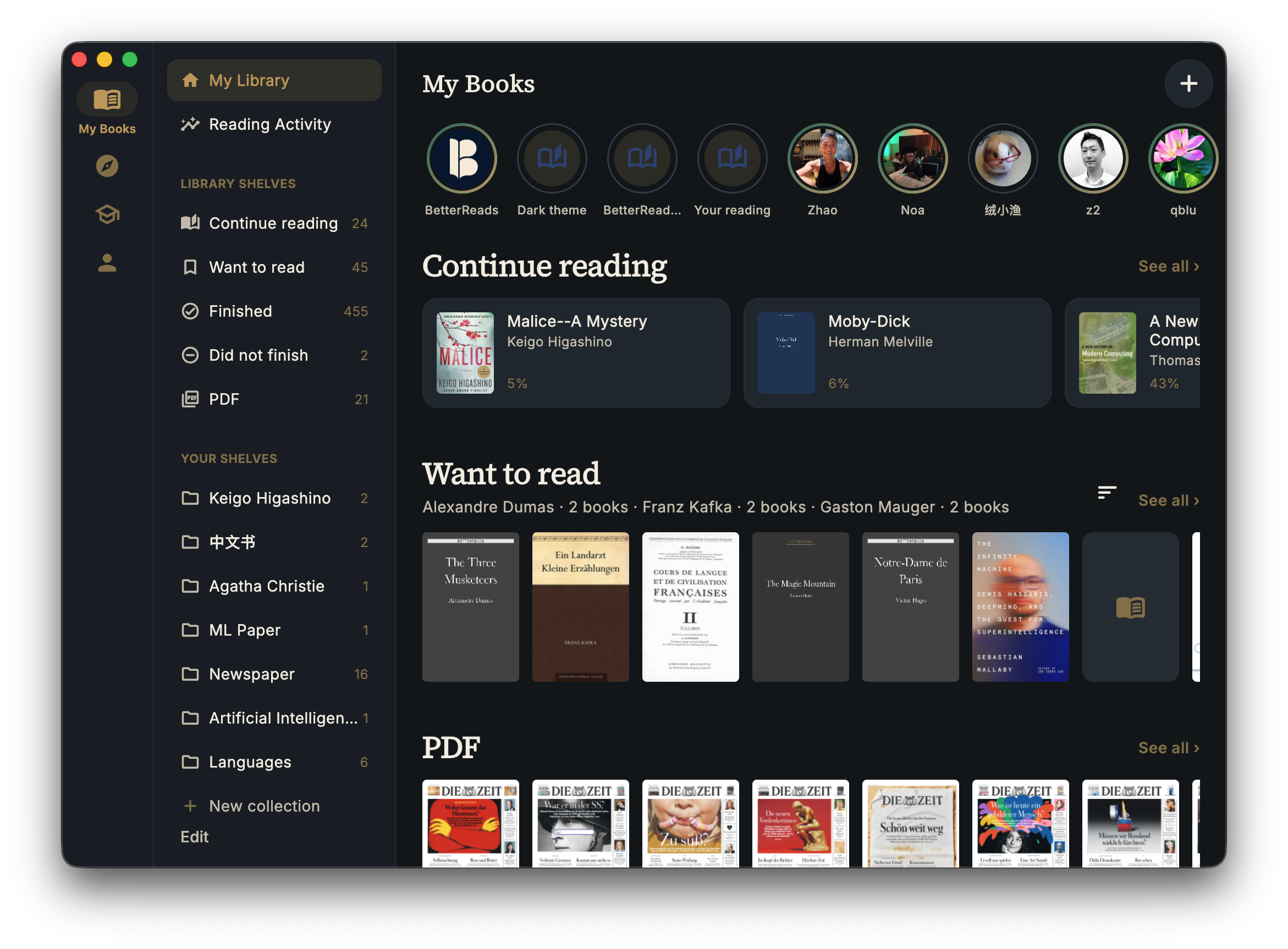
A home for your reading
The Mac app gives BetterReads a more natural desktop shape. Your library stays close at hand while the reading area gets the space it needs. You can return to a book, move between documents, and keep your reading life in one place instead of reconstructing it from browser tabs.
The app is especially useful when your reading is spread across formats:
- EPUBs for novels and long-form books
- PDFs for papers, essays, and reference material
- highlights, notes, and semantic annotations that should remain attached to the passage
The point is not to make reading feel like work. It is to make the work around reading disappear.
Multiple books, multiple windows
The Mac app is built for the way desktop reading actually happens. You can open multiple books or PDFs in separate windows and keep them visible together. Leave a novel open beside a reference book, or keep a research paper on one side while you check a related source on the other.
That makes comparison much less expensive. You do not have to close the book you are thinking with in order to open the book you are checking. Each window keeps its own reading context, while the library remains the place where the larger collection is organized.
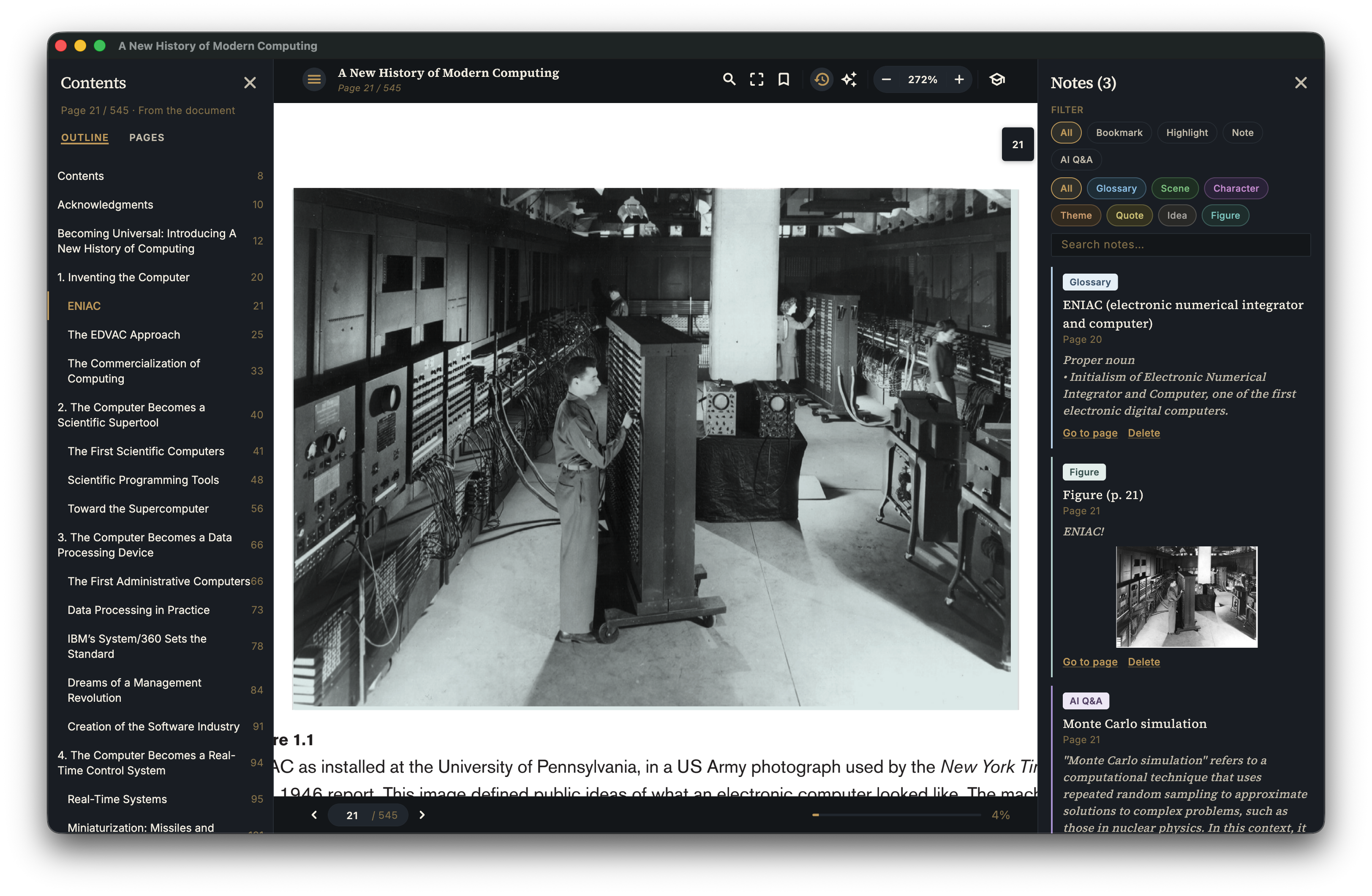
A research desk for PDFs
PDF reading is rarely just page after page. Research means moving through a document's contents, locating a figure or citation, and collecting the passages that will matter later. BetterReads brings the document, its outline, and your saved material into the same reading workspace.
You can use a PDF window to:
- navigate with Contents and page views
- keep highlights, notes, bookmarks, and AI Q&A together in the Notes panel
- return to a passage without remembering which external viewer or browser tab held it
With multiple windows, that workspace becomes more useful: one paper can stay open while another provides context, and your notes remain attached to the documents they came from.
Study what you have actually read
Reading produces a lot of material that is easy to recognize and hard to recall. The Study area turns saved glossary entries, highlights, notes, and semantic annotations into something you can revisit. Instead of treating annotation as the end of reading, it gives those decisions a second life as review material.
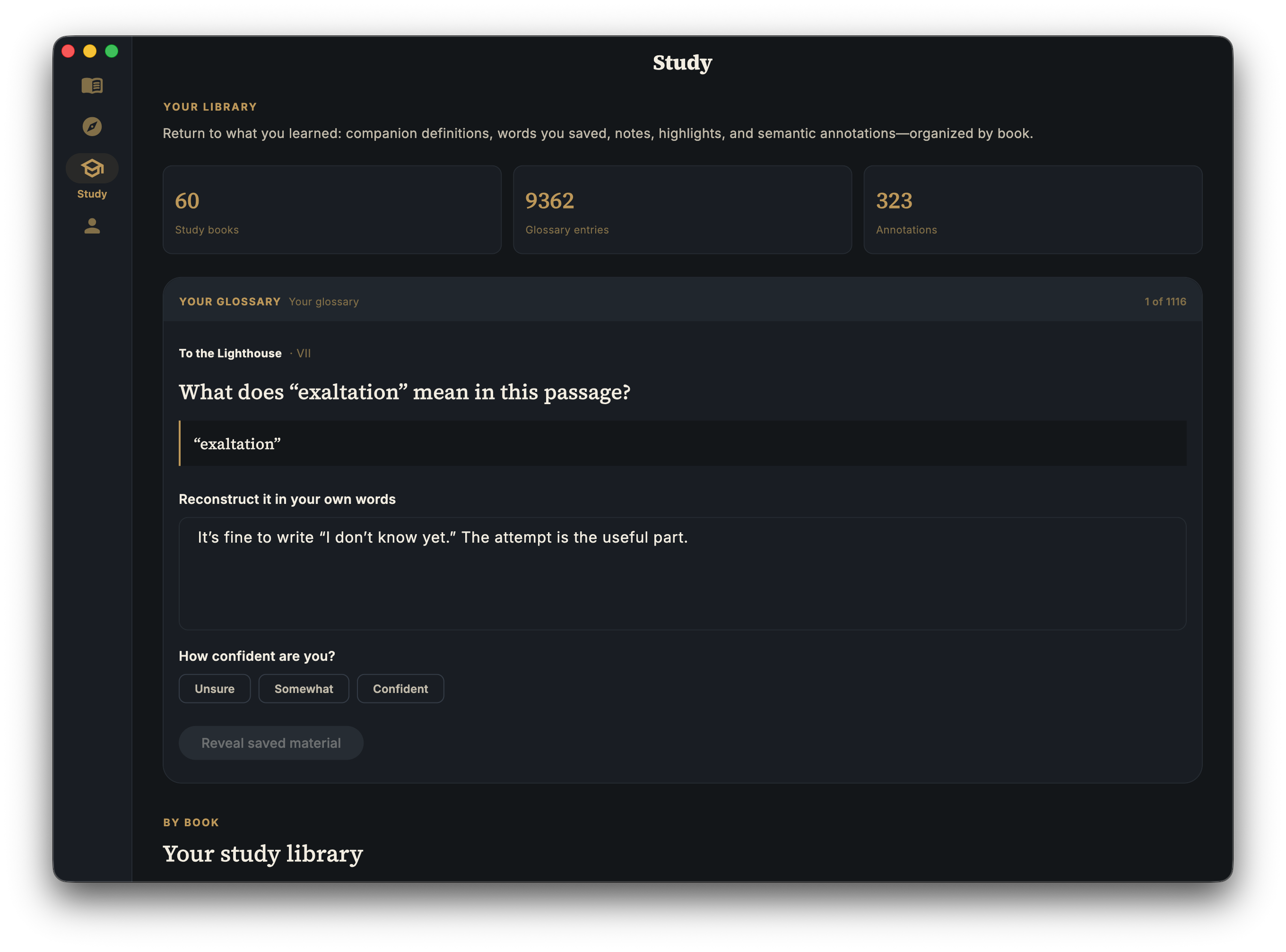
This is useful for a course, a technical subject, or any book where understanding matters more than simply reaching the final page. The Mac app gives you room to read deeply; Study gives you a reason to come back to what you marked.
Track the reading life around the book
The library is more than a list of files. It shows what you are continuing, what you want to read, what you finished, and what you did not finish. Shelves and collections let you organize books by author, project, language, or any system that makes sense to you.
Reading activity and progress make the record useful over time. You can see which books are active, keep finished books from disappearing into a folder, and bring PDFs into the same personal library as EPUBs and other books.
Discover the next thread
A desktop reading session does not always begin with a book you already own. Discover provides curated classics, reading pathways, and lists such as The Guardian 100, so browsing can lead naturally into the next book on your shelf.
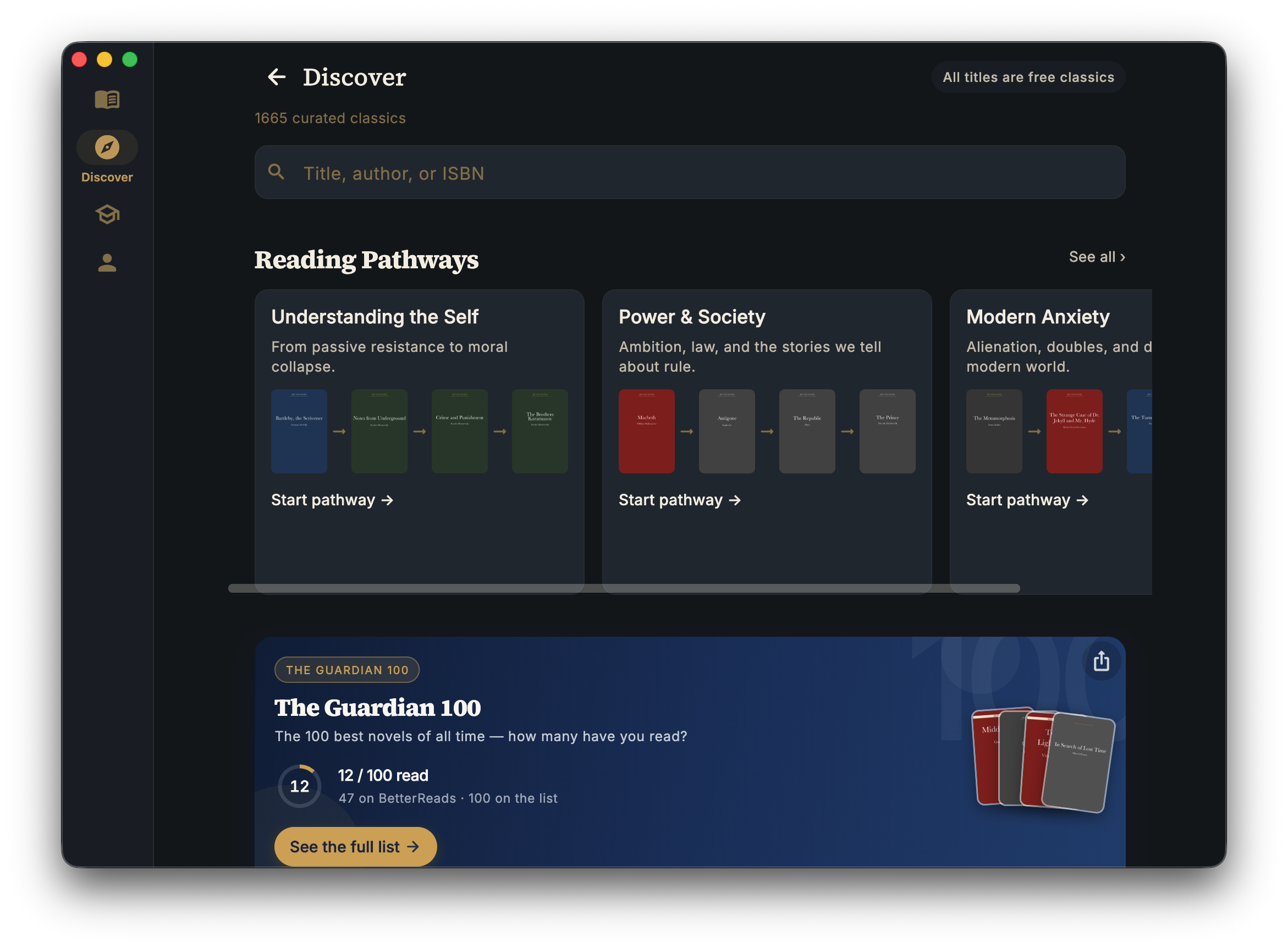
The useful connection is between discovery and tracking: find a title, add it to your reading life, and later see it alongside everything else you have read. The app supports both the focused session and the longer arc.
The same reading record, wherever you open it
The Mac app belongs to the same BetterReads reading space as the web and mobile apps. Progress, highlights, notes, and the rest of your library can follow you between devices, so a book does not become a different book depending on where you opened it.
That makes a few ordinary transitions less fragile:
- Start a book at your desk and continue it on your phone.
- Read a paper on Mac, then revisit the important passages from your study view.
- Keep your shelf and reading history together even when the books themselves come from different places.
Sync is useful because it preserves context, not just a page number.
A better fit for long sessions
The Mac is where many readers do their longest, most deliberate reading. A larger display makes it easier to read a full page, compare a passage with your notes, and stay oriented in a long PDF. The desktop app is a small change in surface, but it supports a meaningful change in habit: opening BetterReads can become the beginning of reading, not the beginning of arranging your tools.
BetterReads for Mac is now available as part of the BetterReads reading experience. Open it when you want a quiet bookshelf, a larger page, and your reading record close by.
See also: Read anywhere: web, mobile, and sync — how the same reading life moves between devices.
Get BetterReads on your phone
Your bookshelf, highlights, and reading tools are in the iOS and Android apps—the same experience as the web reader, synced when you sign in.
Or continue in the browser at betterreads.online.