BetterReads Blog
Read Anywhere: BetterReads on the Web and Mobile
By BetterReads ·
Your book should not be trapped on one screen
Some reading belongs on a phone. It is always nearby, comfortable on a train, and easy to open for ten quiet minutes.
Other reading belongs on a larger screen. A web browser gives a difficult page more room, makes long sessions comfortable, and puts notes, characters, themes, and reading tools beside the text without crowding it.
BetterReads lets you use both. Read on mobile when that is the natural choice, open the web reader when you want more space, and move between them without treating each device as a separate library.
There is one requirement: you need a BetterReads account for sync. Your account is how BetterReads knows that the library on your phone and the library in your browser belong to the same reader.
What follows you between web and mobile
When you sign in to the same account, BetterReads syncs the parts of reading that you would expect to keep:
- Your bookshelf — books you save are available from your library on both platforms.
- Reading position and completion — leave a book on one device and continue from that position on the other.
- Highlights — passages you mark remain attached to the book.
- Notes and annotation types — your comments and the meaning you assign to a highlight travel with it.
- Bookmarks — saved places remain available when you change screens.
- Reading activity and goals — reading time, daily activity, per-book time, and reading goals stay connected to your account.
This is more than copying a percentage from one device to another. The useful context around a book—where you stopped, what you marked, and what you wanted to remember—stays together.
What remains local to each device
Not every preference should follow you.
Reader appearance settings such as typeface, text size, line spacing, page tone, and text width currently stay on the device where you chose them. The same is true of downloaded or cached book files and whether a particular reader panel was left open.
That separation is intentional and practical. A wide browser window may call for a different text width than a phone, while your actual reading progress and notes should remain the same everywhere.
The web reader can disappear into the book
On the web, Focus mode removes the toolbars and panels so the page gets nearly all of the screen. It is useful when you already know where you are going and want nothing but the text.
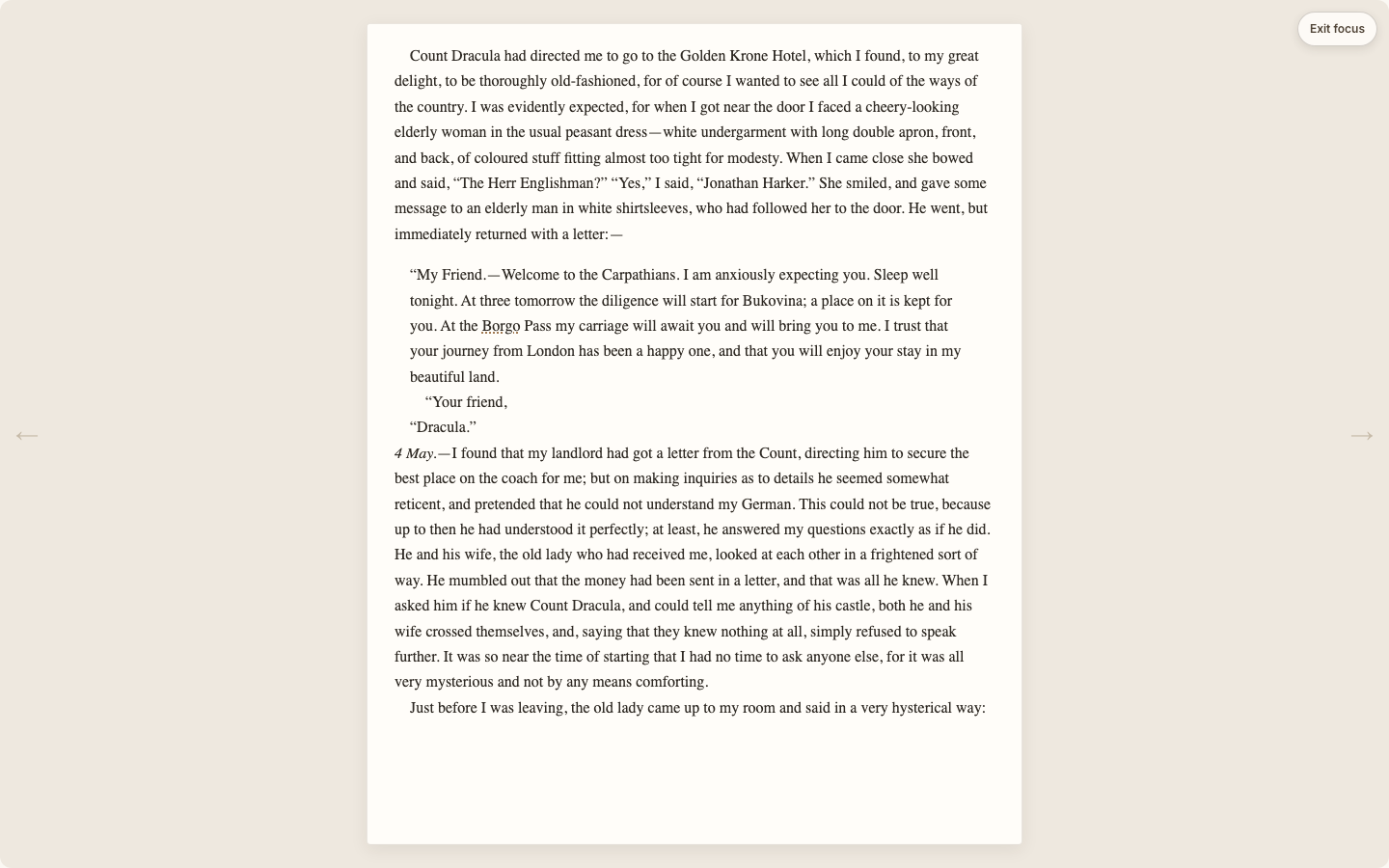
You can leave Focus mode at any time. The reading position continues to save while you read.
Or bring the reading tools back
The standard web reader keeps the book at the center while making its controls easy to reach. The top bar gives you the table of contents, Reading Lens, appearance settings, Focus mode, and keyboard help. Page arrows sit at the sides, and the progress bar shows both chapter and overall progress.
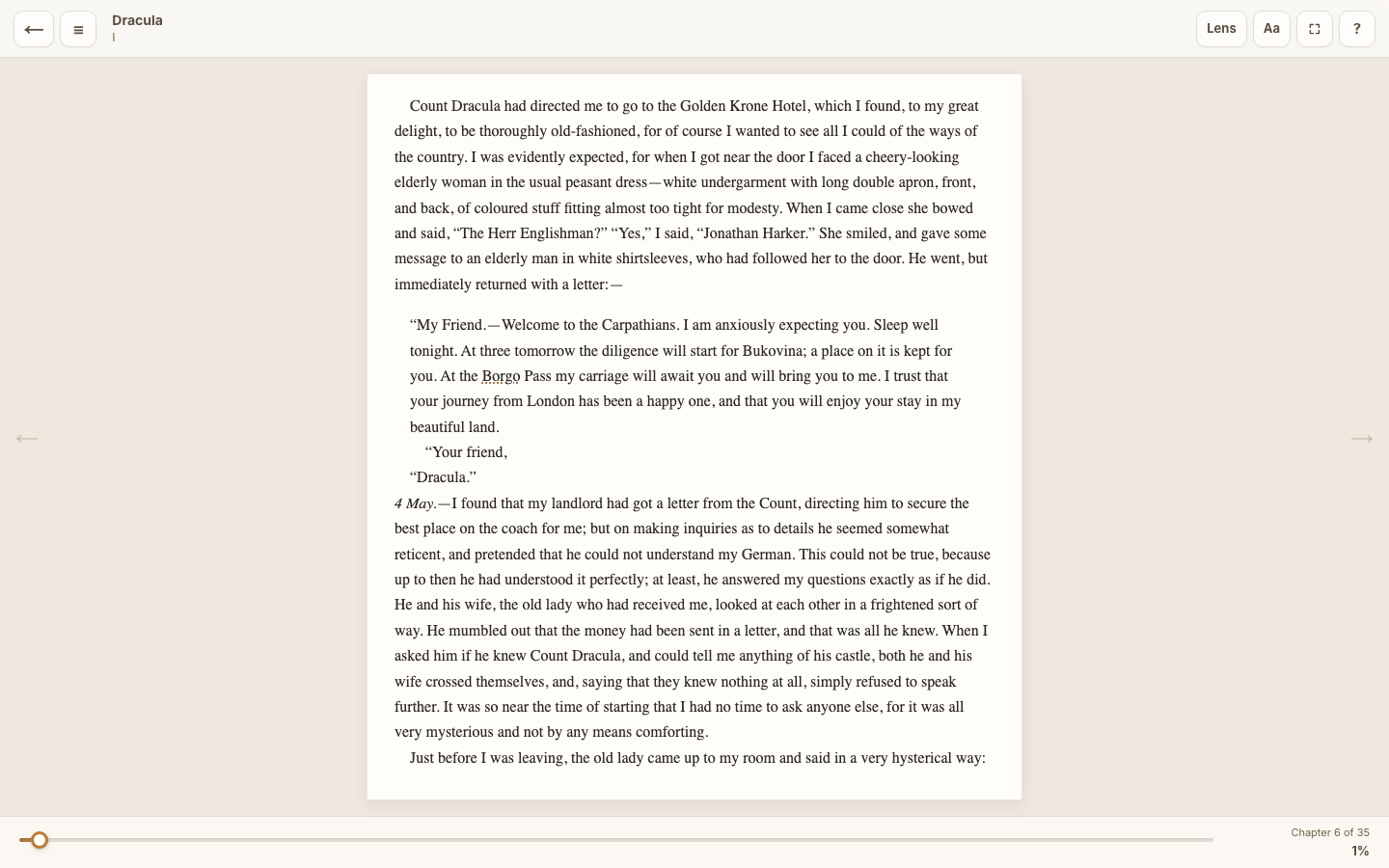
Open the Reading Lens when you want chapter insights, character context, or a place to ask a question. Open appearance settings when the page needs to fit your eyes or your screen. When you are finished with the tools, Focus mode returns you to the quiet page.
Moving from phone to browser takes three steps
- Create a BetterReads account or sign in on mobile.
- Sign in to the same account at betterreads.online.
- Open My Bookshelf and choose your book.
That is all the setup. There is no export file, pairing code, or manual transfer. BetterReads loads the account-backed copy of your bookshelf and reading data when you sign in.
As you read, progress is saved automatically. Highlights, notes, and bookmarks are saved when you create or update them. If a connection is temporarily unavailable, the web reader also keeps a local copy so a brief network interruption does not have to become a reading interruption.
A simple way to use both
You might read a few pages on your phone during lunch, highlight a line you want to think about, and close the app. That evening, open BetterReads in a browser. The book is already on your shelf, your position is waiting, and the highlight is still attached to its passage.
With more space, you can open the Reading Lens, review a character, add a note, or simply continue reading. Later, the same progress and annotation are available again on mobile.
The devices do not compete for ownership of the book. They are two windows into the same reading life.
One account, one continuous reading experience
Cross-device reading should feel uneventful. You should not have to remember which device contains the important note, reconstruct your place from a chapter title, or maintain two versions of a bookshelf.
BetterReads uses your account to keep that continuity. The phone gives you immediacy. The web gives you room. Your books, progress, and thinking move between them.
Sign in on both, open a book, and continue where you left off.
Get BetterReads on your phone
Your bookshelf, highlights, and reading tools are in the iOS and Android apps—the same experience as the web reader, synced when you sign in.
Or continue in the browser at betterreads.online.